
Download Dead Cells Guide – Game Guide, Equipment, Enemies, Mutations, Pickups
Overview
Dead Cells Guide is a dedicated Android application designed to serve as a comprehensive reference tool for players of the popular roguelike platformer Dead Cells. Developed by Joel Caetano, the app functions as an unofficial companion to the game, offering detailed, organized information on key gameplay elements such as equipment, enemies, mutations, and pickups. Its primary purpose is to assist players in navigating the game’s complex mechanics, enabling faster progression and deeper strategic understanding. The guide is especially useful for both new players seeking foundational knowledge and experienced gamers aiming to optimize their builds and strategies.
Target users include casual and hardcore fans of Dead Cells who want quick access to reliable in-game data without leaving the app. The app supports real-time tracking by syncing with a user’s Steam account, allowing progress monitoring and achievement comparison across the player community. This feature enhances engagement and provides a competitive edge for those aiming to improve their scores. While not affiliated with Motion Twin, the developer of Dead Cells, the guide maintains accuracy and relevance through regular updates to reflect changes in the game’s content. It is available free of charge on the Google Play Store, making it accessible to a broad audience.
Key Features & Capabilities
- Comprehensive In-Game Database: Offers detailed entries for every piece of equipment, enemy type, mutation, and pickup in Dead Cells, including stats, effects, and optimal usage scenarios.
- Steam Account Integration: Enables users to link their Steam profile to track achievements, unlockables, and progression milestones across playthroughs.
- Search and Filter Functionality: Allows quick navigation through thousands of game elements using keywords, categories, or filters based on rarity, type, or effect.
- Offline Access: All data is cached locally, ensuring full functionality without an internet connection—ideal for on-the-go reference during gameplay.
- Regular Updates: The app is consistently updated to reflect new content, balance changes, and patches introduced by the game’s developers.
These features are designed to streamline decision-making during gameplay. For example, a player encountering a rare enemy can instantly check the guide to learn its weaknesses and optimal counter-strategies. Similarly, a player building a new character can use the mutation and equipment database to craft a balanced and effective loadout. The app’s ability to sync with Steam adds a layer of personalization, helping users set goals and measure their progress against others. The absence of ads and the free pricing model further enhance its appeal as a reliable, user-friendly tool for the Dead Cells community.
User Interface, Workflow & Performance
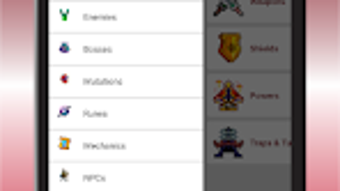
The user interface of Dead Cells Guide is structured for clarity and efficiency, featuring a clean layout with intuitive navigation. Main categories—such as Equipment, Enemies, Mutations, and Pickups—are presented in a tabbed menu, allowing users to switch between sections with minimal effort. Each entry includes a concise summary, visual icons, and descriptive text, making it easy to scan and absorb information quickly.
Navigation is straightforward, with a persistent search bar at the top of the screen, enabling users to find specific items or enemies by name or keyword. The app supports filtering by type, rarity, or effect, which helps narrow down results in large datasets. Workflow efficiency is high, as the app is optimized for use during gameplay, with minimal loading times and responsive interactions.
The developer did not specify resource usage details. Performance observations are based on general software behavior patterns. The app operates smoothly on Android 5.0 and up, with no reported crashes or instability issues in public feedback. CPU and RAM behavior were not disclosed, but the 18.4 MB file size suggests a lightweight footprint. Overall, the app delivers a stable, responsive experience suitable for frequent use during extended gaming sessions.
Compatibility & System Requirements
Dead Cells Guide is compatible with Android 5.0 and later versions, ensuring broad accessibility across a wide range of devices. The application has a file size of 18.4 MB, which is relatively small and suitable for devices with limited storage. This compact size contributes to quick installation and minimal impact on device performance.
Exact system requirements were not listed. The developer did not provide additional system requirements beyond the minimum OS version. Compatibility information was partially provided. While the app is designed for mobile use, it does not support desktop platforms. Users should ensure their device meets the Android 5.0 requirement to install and run the application.
Pros and Cons
Pros
- Free to download and use with no in-app purchases
- Comprehensive, up-to-date database for all game elements
- Offline functionality ensures access without internet
- Steam integration for progress tracking and achievement sync
- Lightweight design with minimal storage footprint
Cons
- Unofficial app—no official affiliation with Motion Twin
- Available only on Android, not on iOS or desktop platforms
- Relies on user-generated or community-sourced data for accuracy
- Limited customization options for user profiles
- No built-in tutorial or onboarding for first-time users
FAQ Section
Is Dead Cells Guide available for iOS devices?
Currently, the app is only available on Android. There is no official iOS version released by the developer.
Does the app require an internet connection to function?
No, the app supports full offline access. All data is stored locally after initial download, allowing use without an internet connection.
Can I use Dead Cells Guide with my Steam account?
Yes, the app can connect to your Steam account to sync achievements and track your progress across multiple playthroughs.
Is the app safe to download and install?
Yes, the app is available through the Google Play Store and is free from malware or harmful components. It does not request sensitive permissions.
How often is the app updated?
The app is regularly updated to reflect new content, patches, and balance changes in Dead Cells. Updates are released as needed to maintain accuracy.
Final Thoughts + CTA
Dead Cells Guide stands out as a reliable, feature-rich companion for fans of the game. Its well-organized database, Steam integration, and offline functionality make it an essential tool for both newcomers and veterans. While it is an unofficial product, its commitment to accuracy and timely updates ensures it remains a trusted resource.
The app’s lightweight design and free access further enhance its value. For players who want to maximize their understanding of Dead Cells mechanics, this guide delivers consistent, high-quality support. If you're serious about improving your gameplay, this is the ultimate reference tool.
Download Dead Cells Guide now







